Introduction
Cloud scaling is one of the biggest advantages of moving to the cloud, it helps you grow without waste and stay lean during quiet times.
At BSPOKE Software, we help clients build custom software that is ready for cloud scaling from day one. We do not offer cloud hosting as a separate service, but we make sure your software can expand easily as your business grows.
Now, let’s explore exactly what cloud scaling means, the types of scaling available, and when to use them.
What is Cloud Scaling?
Cloud scaling is the process of growing or shrinking your IT resources in the cloud as your business needs change. This means that when demand suddenly jumps, you can quickly add more servers, storage, or computing power. When demand drops, you can scale back down so that you are not paying for unused resources. This flexibility is why so many businesses are leaving behind traditional server rooms and moving to cloud hosting.
There are two main types of scaling, vertical and horizontal. We’ll cover them briefly here, and explore their pros, cons, and typical use cases later in this post.
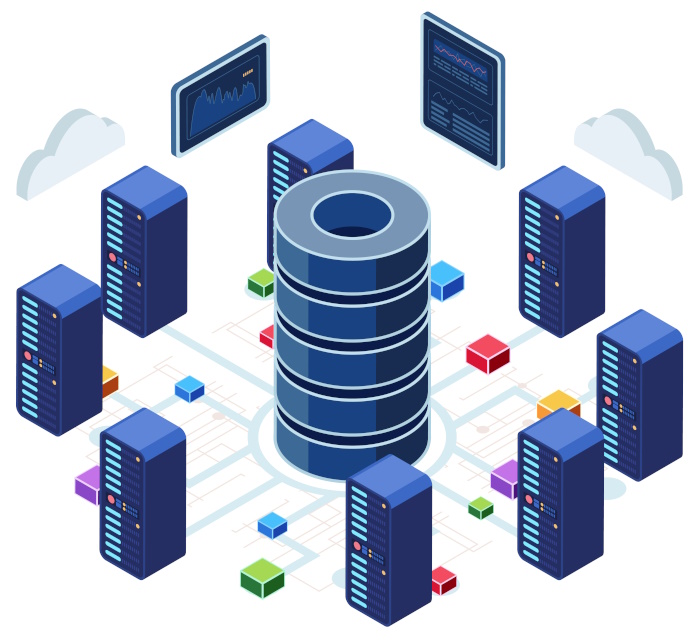
- Vertical Scaling ⬆️ This means making one virtual machine stronger by adding CPU, memory, or faster storage. Think of it as fitting a bigger engine into the same car.
- Horizontal Scaling ➡️ This means adding more machines and sharing the work between them, like putting more delivery vans on the road so no single van is overloaded.
Many cloud providers also offer auto-scaling, which adds or removes servers automatically when traffic spikes or drops. Serverless technology goes a step further, running code only when it is needed and charging you per use. All of these techniques fall under the term cloud scaling.
The Advantages of Cloud Scaling
Elasticity and Speed
One of the biggest advantages of cloud scaling is elasticity. Your systems can respond instantly to big jumps in traffic, whether from a marketing campaign, a product launch, or a sudden surge in online orders. In the past, businesses had to order new servers and wait weeks to install them. With cloud scaling, this can happen in minutes. This speed means fewer unhappy customers and more sales captured when it matters most.
Cost Efficiency
Cloud scaling makes costs predictable. You pay for what you use, not for expensive servers that sit idle most of the year. This can be a game-changer for businesses that have seasonal peaks, because you can scale up only when you need to and avoid paying for spare capacity all year round. Of course, this flexibility cuts both ways, if left unchecked, costs can spike. We explore how to manage this risk, later in this post.
Global Reach
Because cloud providers have data centres all over the world, cloud scaling allows you to put your services closer to your customers. This means faster response times and a better experience. If you open a new branch overseas, you can spin up servers in that region without moving hardware yourself.
Built-in Redundancy
With cloud scaling, redundancy is built in. If one server fails, another one takes over automatically. This reduces downtime and keeps your systems online even when something goes wrong. You get reliability without having to buy duplicate servers yourself.
Faster Innovation
Cloud scaling lets your team move faster. New features can be tested without waiting for IT to buy and install equipment. If an experiment takes off, you can scale up instantly to meet demand. This speed helps you stay ahead of competitors.
The Challenges and Trade-offs of Cloud Scaling
Cost Management
While cloud scaling saves money when done correctly, it can also create surprise bills if left unchecked. If auto-scaling adds too many servers during a busy period, you might get a large bill at the end of the month. Setting limits and alerts is crucial to keep spending under control.
Vendor Lock-in
When you rely heavily on one cloud provider’s tools, it can be difficult to move elsewhere later. Prices might change or features might disappear. Before committing fully, think about whether you may need a way to switch providers in the future.
Performance Variability
Cloud servers share physical machines with other customers. This can sometimes cause slower performance compared to dedicated hardware. Choosing the right type of cloud instance and monitoring performance is an important part of managing cloud scaling.
Security and Compliance
Some industries, like healthcare or finance, have strict rules about where data must be stored. With cloud scaling, you need to make sure your chosen provider can guarantee data residency and compliance. This might mean picking a specific region or using private cloud options.
Operational Complexity
Cloud scaling adds flexibility, but it also adds complexity. This is why it’s important to follow clear best practices, such as automation, cost monitoring, and regular reviews, which we cover in detail later in this post.
Horizontal vs Vertical Scaling: Why It Matters
Vertical vs Horizontal Scaling
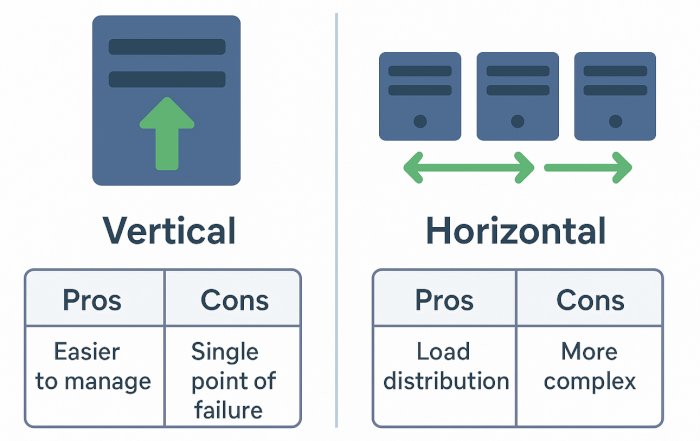
Many business owners want to know whether to make a single server bigger or to add more servers. This is why we include a full section on horizontal vs vertical scaling, because it is one of the most common questions asked.
Vertical Scaling
Is fast and easy. You just choose a bigger virtual machine from the cloud provider’s menu. But there are limits to how big one machine can get, and if that one machine breaks, everything running on it stops.
Horizontal Scaling
Spreads the workload across many smaller servers. This makes systems more resilient, because if one server fails the others keep running. It also lets you grow step by step rather than making one big jump in server size. Most high-traffic sites use horizontal scaling once they reach a certain size.
Understanding this choice is key to getting the most from cloud scaling.
| Approach | How It Works | Pros | Cons | Typical Uses |
|---|---|---|---|---|
| Vertical Scaling | Make a single server more powerful | Simple, fast to implement | Physical limits, single point of failure | Small databases, quick fixes |
| Horizontal Scaling | Add more servers and share workload | High capacity, resilient, easy to grow step by step | More complex setup, needs load balancing | Web apps, busy APIs, e-commerce |
Other IT Scaling Approaches
Cloud scaling is one part of a bigger picture. There are other ways to scale technologies, which we explore in detail in our post on IT Hardware Scalability and Software Scalability.
Here is a quick overview:
- 💻 Vertical Hardware Upgrades Add more power to a single server by increasing CPU, RAM, or storage speed.
- 🖥 Horizontal Scale-out Add more servers and balance the work between them.
- 📦 Storage Expansion Increase storage capacity with bigger disks or network-attached storage.
- 🌐 Network Upgrades and CDNs Improve speed by adding bandwidth or using a Content Delivery Network.
- 🔲 Virtualisation and Containers Run multiple virtual machines or lightweight containers on the same hardware.
- 🏢 Co-location or On-Premises Place your own servers in a data centre or keep them in-house for full control.
- ☁️ Cloud Options Choose public, private, or hybrid cloud depending on your needs.
When to Use Cloud Scaling vs Other Approaches
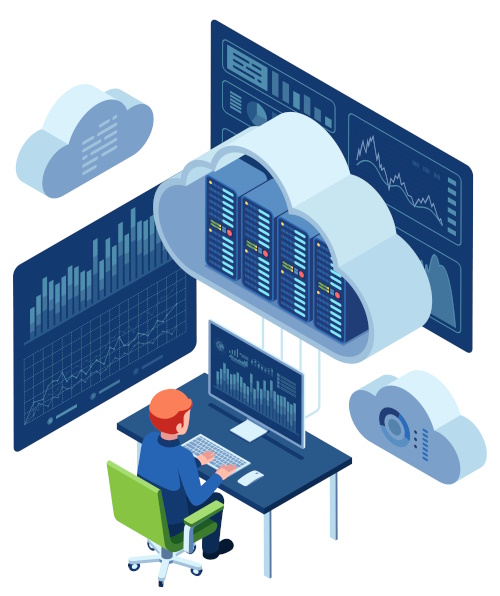
Cloud scaling is best used when demand changes over time. If your business sees sudden peaks, like a big promotion or seasonal rush, cloud scaling can add resources quickly, so you do not lose customers. It also suits companies with unpredictable growth, where you are not sure how much traffic you will get next month.
Online services, such as web apps and software-as-a-service products, also benefit from cloud scaling because usage can change from hour to hour. If your workload is steady and always running at full capacity, buying your own hardware or using a hybrid solution may save money in the long run.
Best Practices for Successful Cloud Scaling
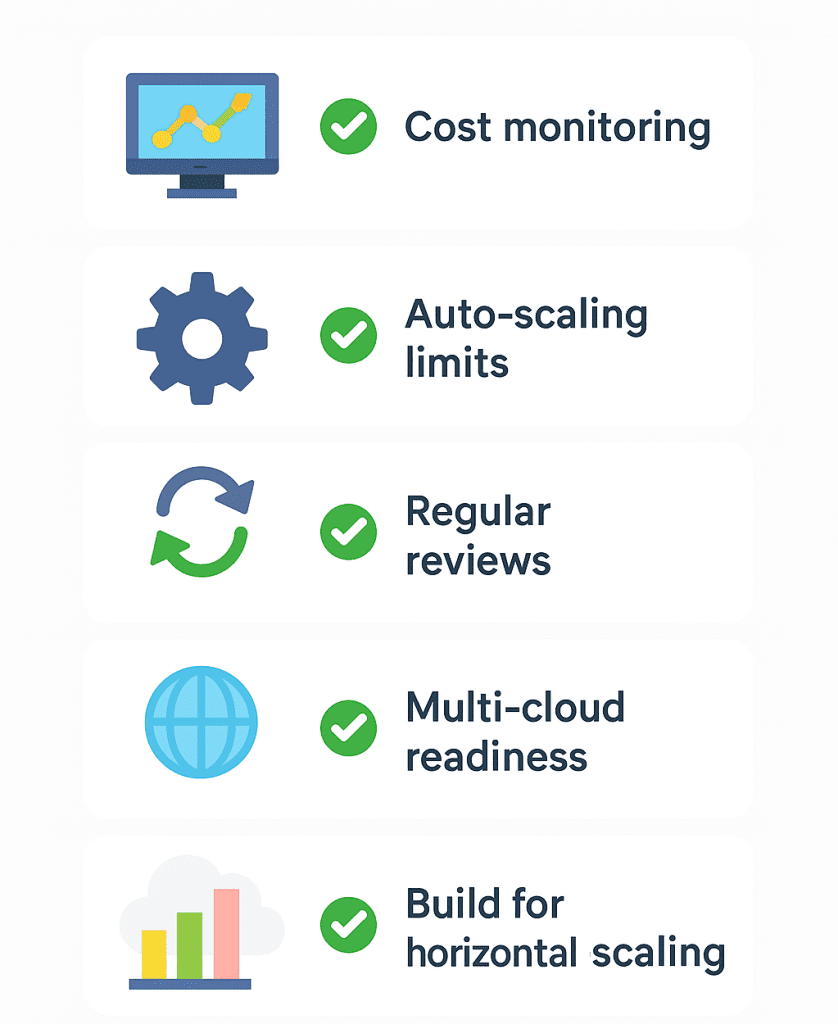
Cost Monitoring in Real Time
Costs can climb quickly if left unchecked. Use dashboards and alerts so you always know how much you are spending. This lets you adjust before the end of the month rather than getting a shock later.
Auto-Scaling Limits
Good cloud scaling starts with clear rules. Auto-scaling should have both minimum and maximum limits so that it does not add too many servers too quickly. This prevents runaway costs and keeps systems stable during sudden spikes.
Regular Review
What works today might not be right tomorrow. Check your setup monthly, make sure your servers are the correct size for your needs, and adjust rules to keep costs under control and performance strong.
Multi-Cloud Readiness
Spreading workloads across different clouds can reduce the risk of vendor lock-in and improve reliability. If one provider has a problem, you can switch workloads elsewhere.
Build for Horizontal Scaling
Your software must be built to take advantage of cloud scaling. This means making it stateless where possible and using shared databases or caches so that any server can handle any request.
Future Trends

AI-Driven Auto-Scaling
Artificial intelligence is being used to predict demand before it happens. This means cloud scaling can add resources ahead of time, improving performance during sudden surges.
Serverless by Default
More businesses are choosing serverless platforms where you never manage servers at all. This means cloud scaling happens behind the scenes, and you only pay for what runs.
Sustainable Scaling
Cloud providers are focusing on greener data centres, using renewable energy and efficient cooling systems. This makes cloud scaling more environmentally friendly.
Better Pricing Models
Expect to see even more granular pay-per-use pricing, allowing you to pay only for the exact resources you consume, making cloud scaling more cost-effective.
Conclusions
Cloud scaling is not just a technical term. It is a practical, cost-effective way to match your IT resources to your business needs. Whether you start with vertical scaling for a quick boost or plan for horizontal scaling for future growth, the cloud makes the process simpler and faster.
If you are planning a new software project, thinking about cloud scaling early will save time and money later. At BSPOKE Software, we build software designed to grow with your business, and we can help with cloud scaling, as part of a solution we have built or are building for you. If you want a system that stays flexible, reduce costs, and prepare for the future, get in touch with our team today and start planning your next step.